
Skip to content
Free shipping on orders of 2.000 ₺ or more10% lower than marketplace pricesSee it in your room: try a sconce on a photo of your own wall
See it in your room

See the sconce on your wall before you buy

Upload a photo of your wall or choose a sample wall; select the model, body colour and light colour. Drag the sconce, resize it from its corner, and switch the light on and off.

Preparing…

Your photo is processed only on this device, in your browser; it is never uploaded to a server and is discarded when you leave the page.

Or pick a sample wall

Model

Body Colour: Gold
Light Colour: Warm Light
Power Source: Select
100%
0°
~230 cm
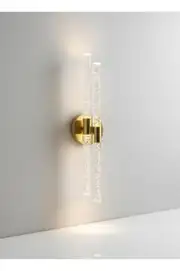
Bubbleflux Dubble Large 51 cm LED Wall SconceComplete your options

For the best result

  • Shoot the wall straight onHold your phone parallel to the wall; in a photo taken from an angle, the scale shifts.
  • Set the scale against a piece of furnitureUse the wall width slider to enter the approximate width of the wall in the picture; the sconce then comes close to its real size.
  • Switch to the evening viewTo see how the light spreads across the wall, use the "Evening" and "Light on" buttons.

See it in your room is a preview tool that shows, on a photo, how a sconce or doorbell button will look on your wall. You can judge the proportions and effect in your own room before choosing the body colour, length and light colour.

How to use it

  1. Choose the product: tap the See it in your room button on a product page, or pick a product on this page.
  2. Upload a photo: add a photo of your wall or room; a straight-on photo taken in daylight works best.
  3. Place it: drag the product; resize or rotate it.
  4. Try the light: view it with the light on and off; add a second sconce for symmetry.
  5. Transfer it to the wall: mark the spot you like with a tape measure, then add the product to your basket.

Where does my photo go?

Nowhere. Your photo is processed only in your browser; it is never sent to a server, and we cannot see or store it. When you close the page, the preview closes too.

Good to know

  • Scale: the preview is a visual test; how large the product looks depends on how far away the photo was taken. For the exact position, mark the size from the product page on the wall with a tape measure.
  • Light effect: the light on screen is indicative; real light looks different depending on wall colour and ambient light.
  • Height: for the right mounting height, see our wall sconce height guide.

Not sure which series to try? Start with our wall sconces or TV unit wall lights.

FAQ

Frequently asked questions

Is my photo saved anywhere?

No. Your photo opens only on this device, inside your browser; it is not sent to our server and is cleared when you leave the page.

Is the size on screen exact?

It is approximate. Scale depends on the angle and distance of the photo; you can match it to a piece of furniture with the size slider.

Can I try two sconces side by side?

Yes. The "Second sconce" button adds the same model; you can drag each one separately. When you add to cart, the number you placed is added.

Can I save and share the image?

The "Save image" button downloads your try-on to your device as a picture.